


More Than a Mouse: A Productivity Engine
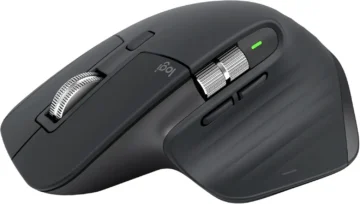
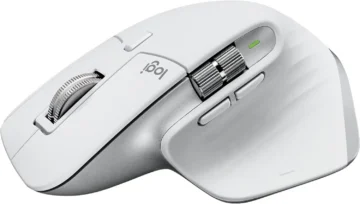
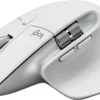
In the world of AI, speed isn’t just about GPU power; it’s about workflow efficiency. At AI Gear Lab, we’ve found that the right input device can save hours of tedious work. The Logitech MX Master 3S is not a gaming mouse; it’s a professional tool designed for high-throughput tasks like prompt engineering and data analysis.
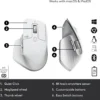
Its standout feature, the side-scrolling thumb wheel, is revolutionary for anyone dealing with long, complex text or sprawling spreadsheets.
Optimized for the AI Professional’s Workflow
This mouse is specifically recommended for three core productivity boosts:
-
- Effortless Prompt Navigation: When your prompt in ChatGPT or Claude spans multiple lines horizontally, the thumb wheel lets you navigate with precision, eliminating the need to drag the tiny scroll bar at the bottom.
- Coding & Data Analysis: Seamlessly scroll through wide tables in Excel or long lines of code in VS Code without breaking your flow.
–
- Application-Specific Customization: Use the Logi Options+ software to set custom button profiles. For example, in your browser, the thumb buttons can switch tabs, but in Photoshop, they can adjust brush size.
Key Features for Coders & Creators
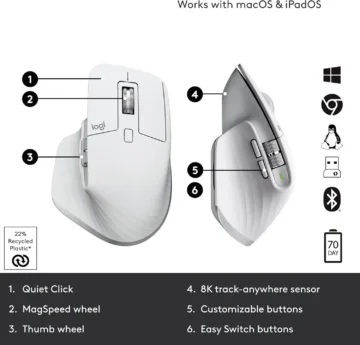
| Thumb Wheel | Horizontal Scrolling (MagSpeed™) |
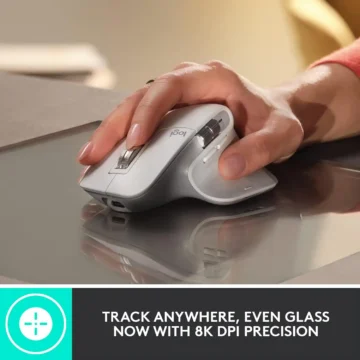
| Sensor | 8,000 DPI Darkfield (Tracks on Glass) |
| Connectivity | Logi Bolt USB Receiver & Bluetooth |
| Battery Life | Up to 70 days on a full charge (USB-C) |
Pros & Cons for Your Workflow
✅ Productivity Gains
- Horizontal scrolling is a non-negotiable feature once you’ve tried it.
- Incredibly comfortable ergonomic design for long work sessions.
- Quiet clicks are great for shared workspaces or late-night coding.
- Multi-device flow allows seamless switching between up to 3 computers.
❌ Considerations
- Not designed for fast-paced FPS gaming.
- Right-hand only design.
- Higher price point than standard office mice.
Reviews
There are no reviews yet.